Sibelius

Time-tested music notation software

From concert halls to classrooms, more composers, arrangers, and educators rely on Sibelius to write, share, and publish music. Sibelius powers today’s professional music industry with sophisticated features like AI-powered accelerators, advanced options for markup and layout, Cloud Publishing, and the ability to work across any device.

With Sibelius, you can create and collaborate with musicians around the world and be confident that your work translates into something you can be proud of.

Additional offerings

Sibelius First

Compose music using the same tools professional composers use.
Download now

Perpetual Licenses

Learn how to buy or upgrade a Sibelius perpetual license.
Upgrade now

Students and Teachers

Get special pricing with verified academic eligibility.
Learn more
Compare versions
Sibelius Mobile
Sibelius Artist
Sibelius Ultimate
Ideal for…
-
Composing simple/moderate music with up to 24 staves
Composing, arranging, and publishing scores and parts of any size and complexity; creating notation worksheets and exercises for education
Pricing
Free with Desktop subscription or buy the mobile-only option from $4.99/mo via in-app purchase
Available as subscription or perpetual. Choose a license type above to get started.
Available as subscription, perpetual, or teams and education pricing. Choose a license type above to get started.
Availability
-
Included with desktop versions (via subscription or Software Updates + Support Plan), or subscribe to either tier monthly via an in-app purchase
Notation
-
Common only
Full set
Tuplets
-
Up to nonuplets
Up to nonuplets
Lines gallery (trills, slurs, hairpins, etc.)
-
All
All
Text gallery
-
More
All
Symbols gallery
-
Some
All
Voices per staff
-
4 voices
4 voices
Lyric verses allowed
-
5
5
Included sampled sounds
-
900 MB high-quality samples
Keyboard shortcuts
-
Included (fixed)
Included (fixed)
Features & functionality
Sibelius Mobile
Sibelius Artist
Sibelius Ultimate
Number of staves
-
Up to 24 staves
Unlimited staves
Note values
-
512th note (7 beams) to “breve” (double whole note)
512th note (7 beams) to “long” (double breve)
Additional notation
Basic guitar tab
Limited bar numbers
fixed beam/rest groupings
fixed brackets and braces
limited chord symbol presets
basic guitar tab
fixed Staff Filters
Full range of bar formats
customizable beam/rest groupings
customizable brackets and bracesfully
customizable chord symbols
full guitar tab
customizable Staff Filters
Lines gallery (trills, slurs, hairpins, etc.)
-
All
All
Keyboard shortcuts
Fixed
Fixed
Customizable
Voices per staff
-
4 voices
4 voices
Collaboration & sharing
Sibelius Mobile
Sibelius Artist
Sibelius Ultimate
Sibelius Cloud Sharing
-
20 Scores
Unlimited scores with 1GB storage
Sibelius Cloud Publishing
-
-
-
Comments / Sticky Notes & Annotation
Limited
Yes
Yes
Copy music notation as image
-
Low resolution
Full resolution
Import / Export options
Music XML import only
Audio file export: WAV, AIFF, MP3
Video file export
Music XML and MIDI file import/export
Previous version export
Audio: WAV, AIFF, MP3
Video file export
Graphics file export
Music XML and MIDI file import/export
Previous version export
import Lyrics as text
Publish to ScoreExchange.com
-
Yes
Yes
ADDITIONAL FEATURES FUNCTIONALITY
Sibelius Mobile
Sibelius Artist
Sibelius Ultimate
Inspector window
Full editing of objects
Keyboard shortcuts
Fixed
Fixed
Customizable
Lines gallery (trills, slurs, hairpins, etc.)
All
All
Note values
-
512th note (7 beams) to Double whole note (breve)
512th note (7 beams) to “long” (double breve)
Voices per staff
-
4 voices
4 voices
Additional notation
Basic guitar tab
Limited bar numbers
fixed beam/rest groupings
fixed brackets and braces
limited chord symbol presets
basic guitar tab
Full range of bar formats
customizable beam/rest groupings
customizable brackets and braces fully
customizable chord symbols
full guitar tab
ADDITIONAL COMPOSITION & INSTRUMENTATION
Sibelius Mobile
Sibelius Artist
Sibelius Ultimate
Notate Glissando
-
Diatonic and Chromatic
Ideas Hub
Score Starter only (40 templates)
300 stock library ideas Add your own Score Starter
2000+ library ideas with editing Add your own
Page numbers
Automatic
Customizable
Rhythmic note values
-
512th note (7 beams) to Double whole note (breve)
512th note (7 beams) to double breve (4 times duration of whole note)
Composition utilities
-
-
Part extraction
Paste as cue
Inspector window
Instrument changes
PLAYBACK CONTROLS
Sibelius Mobile
Sibelius Artist
Sibelius Ultimate
Playpack controls - Speed
Basic playback only
Expressive playback & Loop
Loop, halfspeed, expressive playback
Advanced notation interpretation
-
-
Yes
Espressivo 2 0 humanized playback
-
Presets only
Customizable
Hairpins, ritardandi, accelerandi, fermatas, articulations
-
Fixed
Adjustable
Playback markings on specified repeats
-
Yes
Yes
Tap Tempo
-
On playback only
Full
Timeline panel
Not available
-
Yes
Video timecode and hit points
-
Add video, add and edit hitpoints
Add video, add and edit hitpoints, timecode
PUBLISHING & LAYOUT
Sibelius Mobile
Sibelius Artist
Sibelius Ultimate
Meta Data
Not available
Common only
Full set
Automatic arranging and orchestration
-
-
Yes
Dynamic parts
-
Limited editing
Manage dynamic parts
Edit dynamic parts
Split dynamic parts
Decondense into two players
-
Fixed Staff Filters
Automatic generation of two Dynamic Parts
Full control of Staff Filters
Magnetic layout
Fixed
Fixed
Customizable, with full viewing options
Manuscript papers (templates)
Stock options only
Some more
Over 75
Create your own
Paper and desk textures
Not available
40 options
60+ options
Rehearsal marks
Default only
Customizable
Repeat structures
-
Customizable
Customizable
Advanced layout options & features
Headers & footers
Intelligent rests
Reset position
System, Page and Special page breaks
Auto layout options
Manual staff spacing
Fixed multiple staff sizes
Headers & footers
System and Page breaks
Intelligent rests
Limited object reset position
Panorama scroll view
Auto layout options
Edit staff types, sizes, spacing
Edit text styles and fonts
Engraving rules
Headers & footers
System, Page and Special page breaks
Intelligent rests
Set default object position
Full object reset positioning
Join scores together
Panorama scroll view
Rulers
ADVANCED NOTATION & ENGRAVING
Sibelius Mobile
Sibelius Artist
Sibelius Ultimate
Accidentals
-
Normal and double, bracketed
Normal, double, quarter-tones, bracketed
Bar numbers
Limited
Limited
Full range of formats
Barline types
-
Single, double, dashed, repeat, final, invisible, tick, short, between staves, thick, triple, dotted, pick up bars
Beam/rest groupings
-
Fixed
Customizable
Brackets and braces
-
Fixed
Customizable
Change transposition of transposing instruments
-
-
Yes
Chord symbols appearance and MIDI/text input
-
Customizable
Cross-staff beams (keyboard music)
-
Yes
Cues
-
Yes
Custom lines
-
Yes
Custom Noteheads
-
Yes
Dotted notes: single, double, triple
-
Single, double, triple
Jazz articulations: falls, scoops, doits, and plops
-
Yes
Yes
Ossia staves
-
-
Yes
Slide notes and rests
-
Yes
Yes
Special symbols
-
Yes
Split multirests in parts
-
Yes
Stemlets (half-stems) and feathered beams
-
Yes
Tuplets
-
Duplets to nonutuplets
Any (ex. 2,7,44:31) and nested
ADDITIONAL UTILITIES
Sibelius Mobile
Sibelius Artist
Sibelius Ultimate
Versioning
Not available
Save, view, print versions
Full versioning
Compare versions
Export log of changes
Timecode display
No
Single format
Custom formatting
Additional utilities
-
Quick filter for similar objects
Highlight music
Sibelius Connect scripting

Edit word menus

Filter for all similar objects

"Find" function

Focus on staves

Highlight music

Finale users

Crossgrade options starting at $99
See offers

Connect and collaborate

Use Sibelius On Any Device

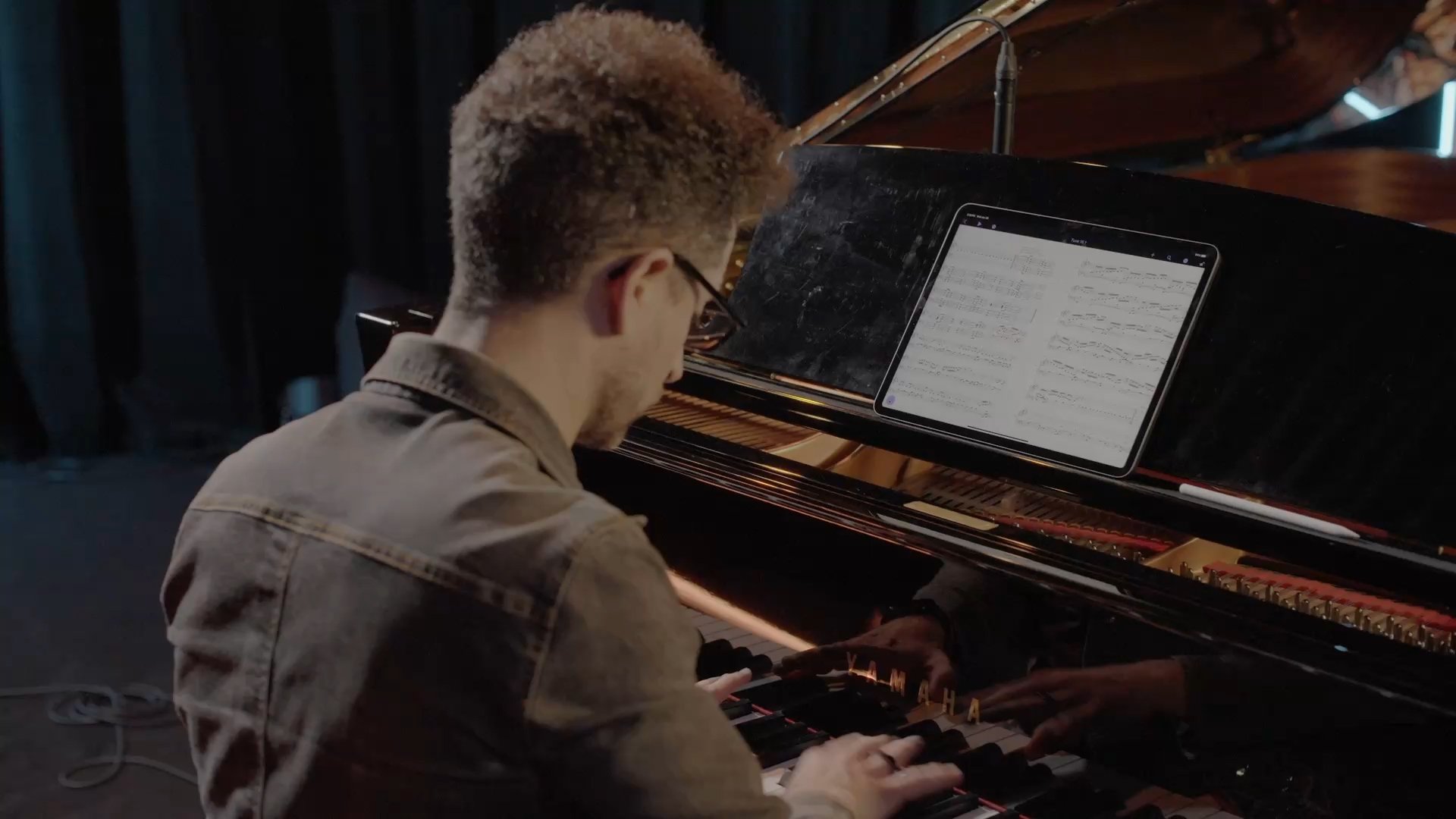
Sibelius brings professional music notation to iPad and iPhone, putting the workflows used by countless composers, orchestrators, and arrangers at your fingertips. Seamlessly move between iPad, iPhone, Android and desktop, and from studio to coffeeshop to scoring stage, and write anywhere inspiration strikes.
Get started on mobile
sibelius cloud sharing score

Collaborate, share, and transform

View, share, publish, and collaborate around the world or across the room with Cloud Publishing, allowing you to work without missing a beat

SIBELIUS IS FOR

    • Quick note entry

      Enter notes from the onscreen notation Keypad, a MIDI keyboard, your computer keyboard, or using an Apple Pencil or tablet stylus
    • Chord Symbol entry, assisted by AI

      Allows you to quickly embellish your music, saving you time in the composition process
    • Magnetic Layout and Auto Optimize

      Avoid collisions and overlaps in your score with a layout that auto adjusts to the needs of your score so you don’t have to spend time formatting
    • Panorama view

      Allows you to write without the constraints of the score layout
    • Sound library support

      Use your preferred third-party libraries alongside 24GB of factory content with VST and AU plugin support for ultra-realistic playback
    • Collaborate, share, and transform

      View, share, publish, and collaborate around the world or across the room with Cloud Sharing

Sibelius for educators

The educator’s choice

We believe every student should be equipped with the best tools. That’s why Sibelius Ultimate is available at a discount to all students, teachers, and schools wishing to teach and learn Sibelius. Sibelius allows educators and administrators to license easily to multiple accounts across a network to keep the focus on learning, not installation management. Sibelius also includes easy ways to make learning fun with 1700 worksheets, 2000 snippets of music, and Classroom Control.
Learn more

See what’s new

See the latest new features, fixes and more
Learn more
Sib on Apple devices
  • © 2026