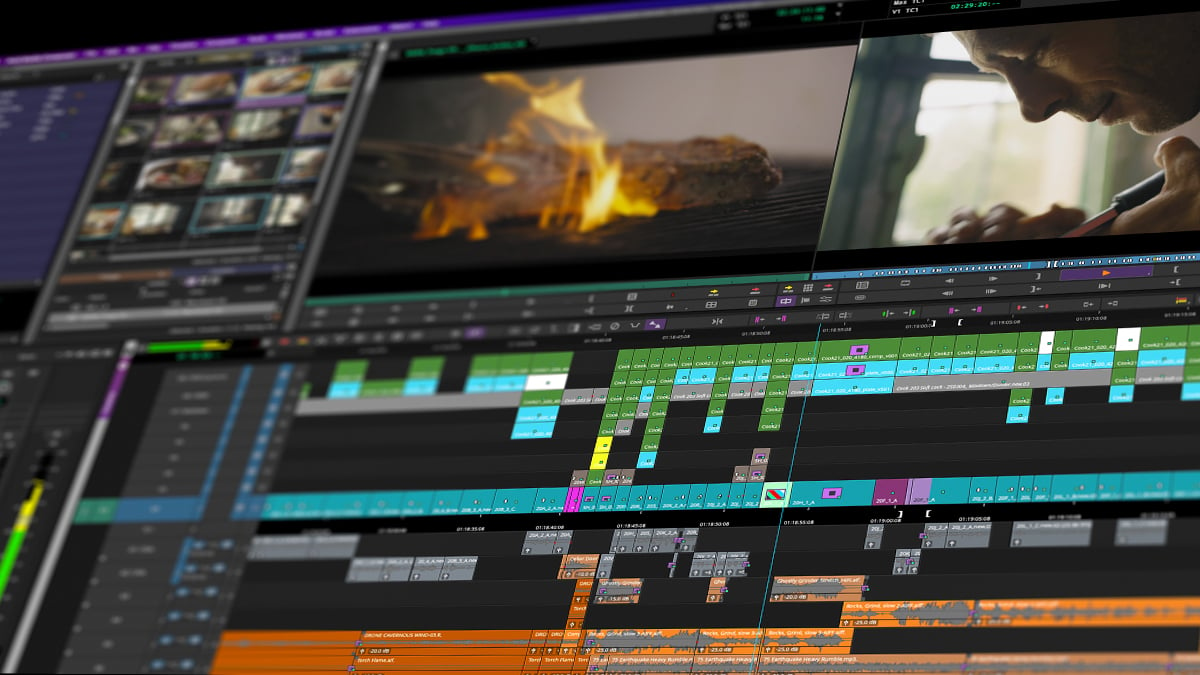
Media Composer is built for large-scale film and television productions, giving you fluid control over massive, multi-track sequences. Experience a video editing timeline designed for high-speed editing work and trim tools that never lose sync.
Streamline your creative edits
Slip audio and video independently
Fine-tune picture and sound independently across multiple tracks. Add frames to one side of a cut while removing them from another to adjust pacing, preserve sync, and shape dialogue with frame-level control.
Chop and ripple clips with one key
Remove unwanted footage from a clip with a single keystroke. Ripple-delete to the playhead, clean up selects faster, and keep your timeline moving without stopping to mark every edit.
Refine cuts live during playback
Adjust edit points while your sequence plays back, so you can judge timing in context. Refine action, movement, music, dialogue, or scene rhythm without constantly stopping playback.
Create cleaner morph transitions
Use FluidMorph to blend similar shots into smoother, more natural-looking transitions. Align adjacent frames to minimize warp artifacts and reduce tedious manual paint and cleanup.
EXPLORE editing features
Smart Tool
Select, trim, move, and fade clips with a cursor that adapts as you work across complex timelines faster.
Fade controls
Create audio and video fades to smooth clip edges, soften cuts, and shape timing changes in every sequence.
Transitions
Add dissolves, wipes, FluidMorph, and more to bridge moments, smooth edits, and polish your sequence.
Audio ducking
Lower music or background audio under dialogue automatically to create a cleaner, more balanced mix faster.
Sync locking
Keep related audio and video tracks aligned as you trim, move, replace, and refine edits across your timeline.
Smart snap to edit
Snap to edit points and timeline positions to place, trim, review, and adjust edits with greater control.
Command Palette
Assign your most-used editing commands to the keyboard and build a faster workflow around the way you cut.
Reverse match frame
Find where source footage appears in your sequence so you can compare, revise, or replace edits confidently.
Great stories are cut on Media Composer
Editing F1® The Movie
Stephen Mirrione, ACE
See how Oscar® winner Stephen Mirrione used ScriptSync and Multicam to fast-track pacing and balance action with story.
Editing Wicked
Myron Kerstein, ACE
See how editor Myron Kerstein balanced massive cinematic spectacle to keep the focus on raw, intimate performances.
Build your next sequence with Media Composer
Access advanced trimming engines, multi-track audio tools, and seamless transitions.
