Latest EUCON Updates – Avid Control Surfaces
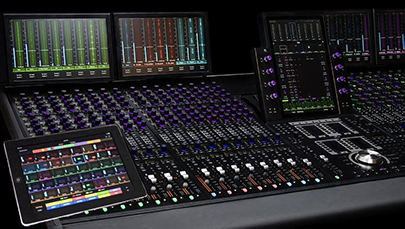
EUCON is a high-speed Ethernet control protocol that enables Avid control surfaces to connect and communicate with Avid and third-party audio, video, and monitoring applications, giving you unmatched hands-on control of your favorite creative tools.
This technology is built into Avid control surfaces and applications, including:- Avid Control
- Avid Dock
- Avid S1
- Avid S4
- Avid S6
- Avid S3, Artist Series (discontinued)
EUCON is always getting better with new features and improvements—here's an overview of the features we've introduced over the past few years:
APRIL 2026 (VERSION 2026.4)
EUCON 2026.4 introduces:
- MPEG-H immersive panning support (all)
- New Softkeys to support Track Pinning (all)
MARCH 2026 (VERSION 2026.3)
EUCON 2026.3 introduces:
- PECDIR Multi-linking that lets you create up to 24 linked groups per post module that can be used to easily, solo, mute, monitor, and drop tracks into record—even across multiple recorders (S6/S4)
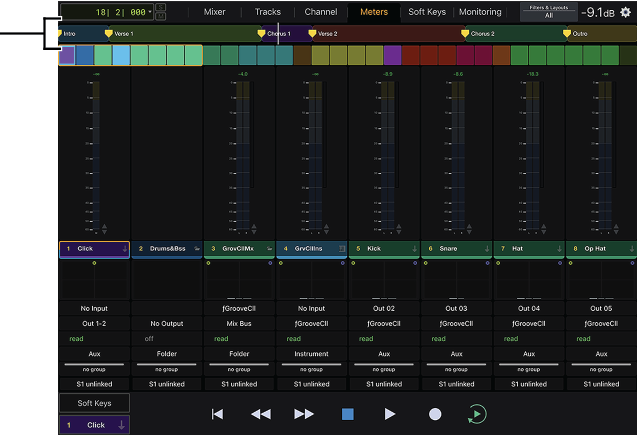
- Avid Control Universe View that allows all meters to be active (Control app)
DECEMBER 2025 (VERSION 2025.12)
EUCON 2025.12 is a feature and stability release. All surfaces gain support for the Audio Vivid Immersive Panner, increased number of monitoring softkeys and networking improvements.
- Audio Vivid Immersive Panner plugin support (all)
- Softkey Appsets for UA Luna and Ableton Live (app)
- Creation of Custom Pan knobs (S6/S4)
- Surface soft key commands for Monitor Sources, Speakers and Mon A-D Sources have been increased to 64 (S6/S4)
- And more
See everything that's new in EUCON 2025.12
OCTOBER 2, 2025 (VERSION 2025.10)
EUCON 2025.10 is a feature and stability release that offers numerous visual feedback enhancements, attention on solo and networking improvements, and more, including:
- Improved visual feedback:
- Larger timecode display (app - remote tablet)
- New Add Track Color Brightness option (app)
- LED brightness preference (S1)
- Align Control Desktop strips with S1 faders (app)
- Attention soloed track (S1/Dock)
- Improved Network management (all)
- New Process Module Expand Mode (S6/S4)
- Adds Fader Module User 1 / 2 to Soft Key Editor (S6/S4)
- Other usability improvements (all)
See everything that's new in EUCON 2025.10.
JUNE 2025 (VERSION 2025.6)
This update builds on the foundation we laid in 2025.3, expanding session data management, enhancing MIDI capabilities, and giving you more control over your environment. From smarter session loading dialogs and custom knob map handling to powerful new MIDI control options and improved metering for post workflows, these updates are designed to keep you working fast and fluidly
S4/S6:- Expanded session data loading dialog with grayed-out unavailable options and custom knob map filtering.
- New “Clear Data” dialog in Master Module settings.
- Copy/Paste support in Soft Key Editor (Softkeys, Pages and Channel Strip keys).
- Dual PEC and DIR meters from a single audio track in Pro Tools 2025.6.
- Copy/Paste macros for Soft Key Editor.
- MIDI CC control from faders and knobs (Dock, S1, S3).
- MIDI Softkeys and macro support.
- Footswitch can now trigger any softkey or macro.
- Improved Mackie Control for physical surfaces (Ableton Live)
See everything that's new in EUCON 2025.6
MARCH 2025 (VERSION 2025.3)
EUCON 2025.3 is another stability and performance release that addresses 20+ bugs for control surface users. EuControl, Avid Control, and all S series control surfaces have seen improvements such as:
- S1 users without an accompanying Dock can now get clear graphical feedback about what’s on the knobs and the screen with Avid Control in Hybrid mode, which now allows the S1’s functions and knobs to mirror the currently selected function in Avid Control and vice versa.
- Cubase and Nuendo users no longer have to page through Quick Controls. Press and hold Aux on S1 to go into Channel mode automatically (like EQ and DYN do currently for Pro Tools).
- S4/S6 Meter Zoom controls and softkeys will now allow you to zoom using softkeys into the top, bottom, or middle of meters on an S6 to see meter information in greater detail.
- S4 and S6 Load Session/Title options allows easier selection of contents (Layouts, settings, knob maps etc.) to load via popup instead of digging into menus.
See everything that’s new in EUCON 2025.3.
October 2024 (VERSION 2024.10)
EUCON 2024.10 is a major stability and performance release with several new features added in. Here are the highlights but be sure to check out the full post for more details.
Both EuControl, Avid Control, and S4/S6 have seen optimized performance and reliability with over 50 improvements made including:- Avid Control “Tablet Mode” Selector: Avid Control modes can be manually selected and locked in EuControl giving greater flexibility and predictability
- Latching/Non-Latching Talkback Option
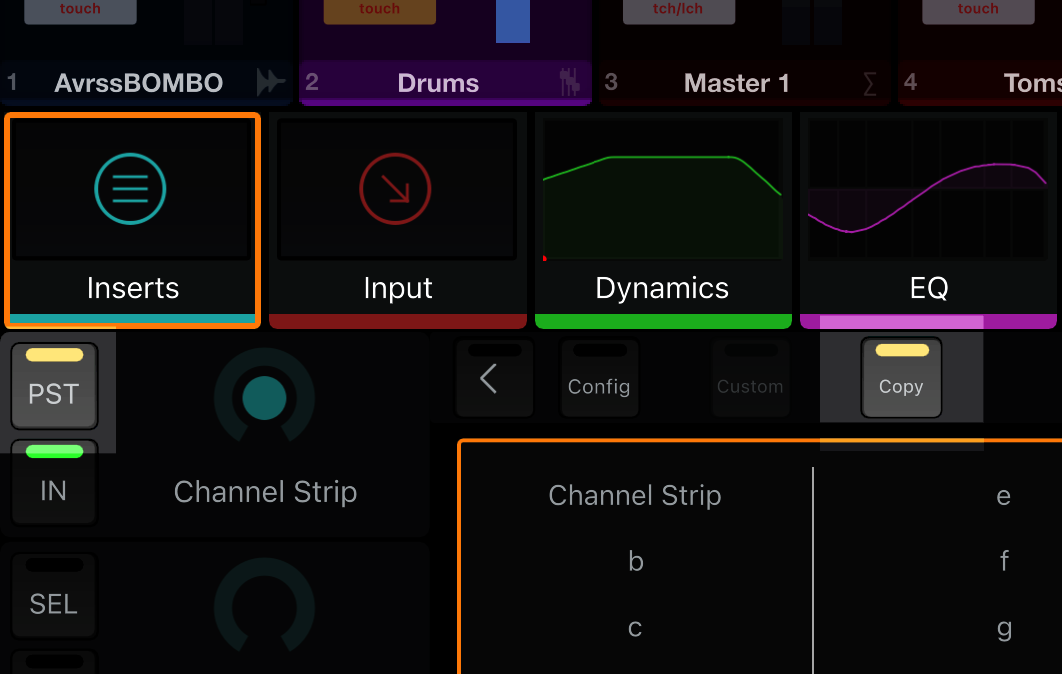
- New Surface Soft Keys to focus different knobsets (functions) such as Input, Inserts, Dynamics, or Sends
- Soft Keys for function “page” navigation, toggle Channel Mode on or off, and toggle Flip on or off
- Create powerful surface navigation macros on a single Soft Key
- Improved indication of channel mode on hardware control surface OLEDs
- Improved Marker Display and Settings: The two previously available settings for Display Marker Type and Show Ruler Markers
- Colors Behind Track Markers have been consolidated into a single new setting
- Avid Control Desktop Show/Hide: Bring Avid Control Desktop to the foreground when a fader, knob, or switch is touched on its linked surface, with an adjustable timeout. Use Soft Keys to show/hide Avid Control Desktop.
- S4 and S6 faster booting time, PEC/DIR meter sync fix, and more
See everything that’s new in EUCON 2024.10.
November 2023 (VERSION 2023.11)
EUCON 2023.11 is a minor bug fix release for EuControl and S4/S6 Master Module software. Earlier in 2023 several performance-related issues were reported that were able to be corrected by editing a .plist file. Those performance issues are now fixed and included in EUCON 2023.11 and later.
View the release notes for EUCON 2023.11
JUNE 2023 (VERSION 2023.6)
|
 |
DECEMBER 2022 (Version 2022.12)
|
 |
SEPTEMBER 2022 (Version 2022.9)
- Support for new Avid S4/S6 hardware New Master Module and Display Module components
- Bug Fixes
APRIL 2022 (Version 2022.4)
|
 |
October 2021 (Version 2021.10)
|
 |
June 2021 (Version 2021.6)
|
 |
November 2020 (Version 2020.11)
|
 |
May 2020 (Version 2020.5)
|
 |
December 2019 (Version 2019.12)
|
 |
May 2019 (Version 2019.5)
|
 |
March 2018 (Version 2018.3)
|
 |